
10 Best ITDR Tools: Complete Identity Threat Detection and Response Guide (2026)

Quick Summary
The best identity threat detection and response (ITDR) tools are Microsoft Defender for Identity, CrowdStrike Falcon Identity Protection and Silverfort.
| Tool | Best for | Starting price | Rating |
|---|---|---|---|
| Microsoft Defender for Identity | Teams running Active Directory and Entra ID | Included in Microsoft 365 E5 ($60/user/month) | 4.3/5 (G2) |
| CrowdStrike Falcon Identity Protection | Teams already running CrowdStrike Falcon on their endpoints | Not published | 4.6/5 (Gartner Peer Insights) |
| Silverfort | Hybrid networks with legacy systems that don’t support multi-factor authentication (MFA) | Not published | 4.8/5 (Gartner Peer Insights) |
Why identity attacks get past endpoint and network tools
Verizon’s 2026 Data Breach Investigations Report found credential abuse at some stage of 39% of breaches (p.16). Endpoint and network tools miss most of that abuse. A sign-in with a stolen password looks the same as a sign-in by the employee who owns that password. There’s no malware for EDR (endpoint detection and response) to catch. Attackers get compromised credentials from malware and breach dumps, then test them at scale in credential stuffing attacks.
Why listen to us?
Breachsense doesn’t sell ITDR, so we don’t rank our own product here. Every rating below comes from a public review site. Breachsense is a dark web monitoring API with over 42 billion leaked credentials indexed. Our founder, Josh Amishav, spent nearly 20 years in offensive security, often signing in to client networks with leaked credentials during penetration tests. Our research has been cited by TechTarget and The Register. Lawyers have also cited our breach records in class action lawsuits.
What is ITDR?
ITDR stands for identity threat detection and response. Gartner defines it as security tools and practices for “detecting, investigating, and responding to threats that target digital identities”. An ITDR tool monitors sign-ins and changes to accounts, such as a user added to an admin group. The tool alerts your team about unusual account activity and known attacks, such as one password tried against hundreds of accounts. Some ITDR tools also block suspicious sign-ins or disable compromised accounts.
ITDR tools cover these identity systems and account types:
- Active Directory. Microsoft’s on-premises directory, where most Windows networks keep their users and admin accounts.
- Entra ID. Microsoft’s cloud directory for Microsoft 365, formerly called Azure AD.
- Okta. A cloud identity provider that signs employees in to their work apps.
- Service accounts. Non-human accounts that applications and scripts use to sign in.
Why is ITDR important?
- Attackers move between accounts once they’re inside. From the first account, an attacker collects cached credentials (passwords a computer stores after someone signs in). The attacker uses those credentials and Kerberos tickets (the tokens Windows uses to prove who you are) to reach an admin account.
- Stolen session cookies bypass MFA. An attacker who loads a valid session cookie is already signed in, so there’s no password or MFA prompt to stop them.
- Service accounts have wide access and little oversight. A service account often has admin rights and a password that rarely changes. No employee signs in with a service account day to day, so nobody notices misuse.
- Hybrid identity lets attackers cross systems. Many companies sync Active Directory passwords to Entra ID or Okta, so an employee uses the same password on-premises and in the cloud. An attacker who steals that password can sign in on-premises and in the cloud.
Where dark web monitoring fits alongside ITDR
Most ITDR tools catch a stolen password only once someone signs in with it. Dark web monitoring alerts you when the password shows up in a leak, often before anyone has used it. Many of those leaks come from infostealer malware, which copies saved passwords and session cookies from an infected browser into a file called a stealer log.
A password reset alone doesn’t end a stolen session, so revoke the user’s sessions too. Stealer logs we indexed in August 2026 held 422,216 session cookies for Microsoft’s sign-in page, according to our August 2026 infostealer report.
Breachsense sends a webhook alert when your employees’ credentials or session cookies turn up in leaked data. Sources include stealer logs, combo lists (lists of leaked email and password pairs), phishing kits and third-party breaches. Your SOAR tool (the system that runs response steps automatically) can then reset the password and revoke the sessions.
10 best ITDR tools
- Microsoft Defender for Identity
- CrowdStrike Falcon Identity Protection
- Silverfort
- SentinelOne Singularity Identity
- Huntress Managed ITDR
- Semperis Directory Services Protector
- Proofpoint Identity Threat Defense
- Sophos ITDR
- Okta Identity Threat Protection
- Bitdefender GravityZone ITDR
| Tool | Best for | Starting price | Rating |
|---|---|---|---|
| Microsoft Defender for Identity | Teams running Active Directory and Entra ID | Included in Microsoft 365 E5 ($60/user/month) | 4.3/5 (G2) |
| CrowdStrike Falcon Identity Protection | Teams already running CrowdStrike Falcon on their endpoints | Not published | 4.6/5 (Gartner Peer Insights) |
| Silverfort | Hybrid networks with legacy systems that don’t support MFA | Not published | 4.8/5 (Gartner Peer Insights) |
| SentinelOne Singularity Identity | Teams already on SentinelOne’s endpoint platform | $229.99/endpoint/year (Singularity Commercial) | 4.4/5 (Gartner Peer Insights) |
| Huntress Managed ITDR | Small businesses and managed service providers (MSPs) without a security team watching alerts | $4.80/identity/month (list price) | 4.8/5 (G2) |
| Semperis Directory Services Protector | Enterprises that need to track and roll back Active Directory changes | Not published | 4.8/5 (G2) |
| Proofpoint Identity Threat Defense | Enterprises that want to remove cached credentials and catch attackers with decoys | Not published | 4.5/5 (Gartner Peer Insights) |
| Sophos ITDR | Sophos extended detection and response (XDR) and managed detection and response (MDR) customers on Entra ID and Active Directory | Not published | 4.3/5 (Gartner Peer Insights) |
| Okta Identity Threat Protection | Companies that sign employees in through Okta | Not published | Not enough reviews |
| Bitdefender GravityZone ITDR | GravityZone customers who want identity alerts in their XDR console | Not published | Not enough reviews |
1. Microsoft Defender for Identity
Microsoft Defender for Identity suits security teams whose accounts live in on-premises Active Directory and Entra ID. Microsoft includes Defender for Identity in Microsoft 365 E5 and the Microsoft Defender Suite, so many Microsoft customers already have a license.
Defender for Identity’s sensors run on domain controllers, so it detects attacks on Active Directory itself. Defender for Identity catches Golden Ticket activity, where an attacker forges a Kerberos ticket that works anywhere in the domain. Defender for Identity also catches DCShadow, where an attacker registers a fake domain controller.
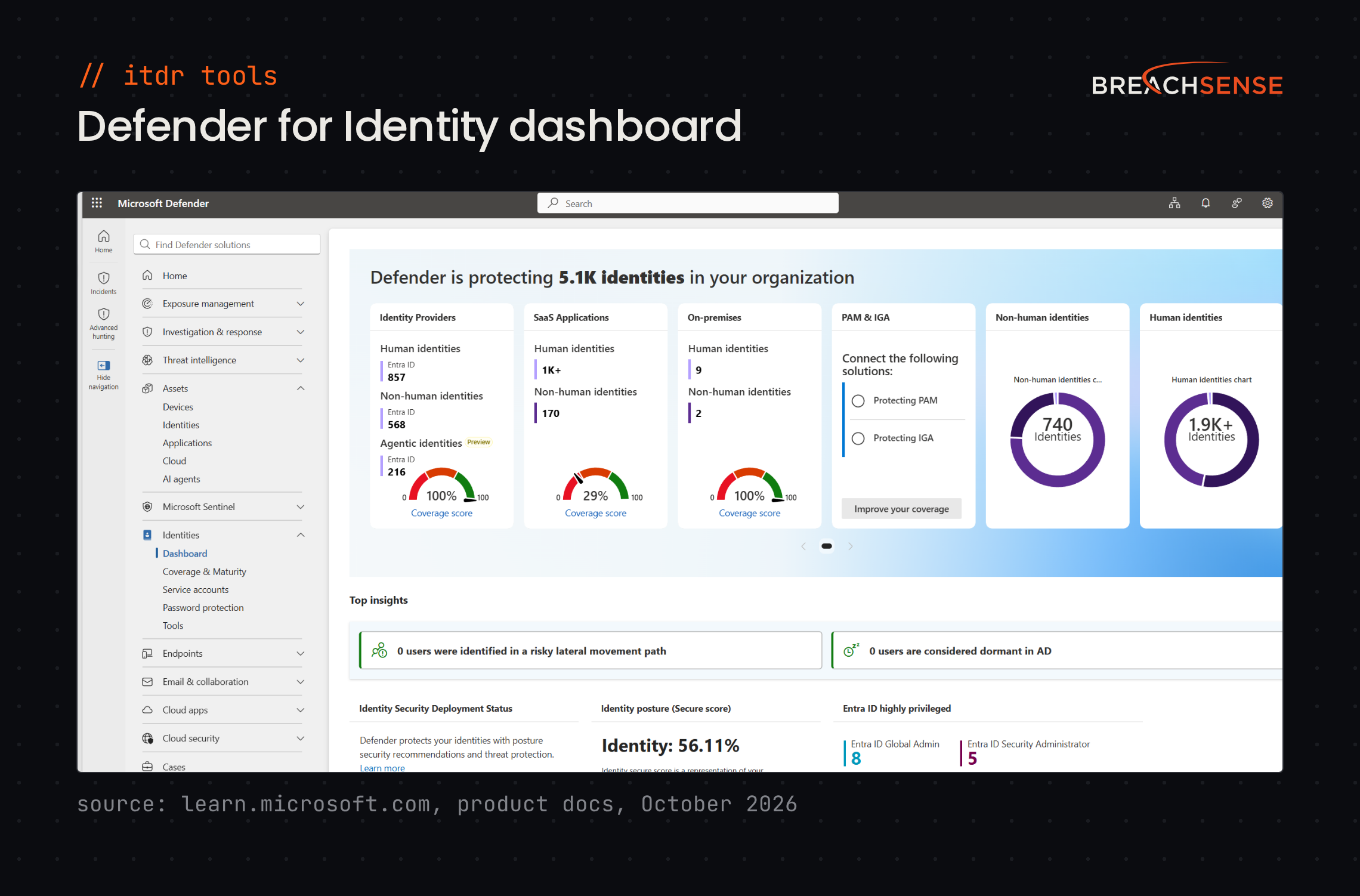
Key features
- Active Directory sensors. Runs on domain controllers and on the servers that handle federated sign-in (AD FS), certificates (AD CS) and Entra ID sync (Entra Connect).
- Shared incidents. Links identity alerts with endpoint and email alerts in the Microsoft Defender portal.
- Account restriction. Restricts identities confirmed as compromised so an attacker can’t keep using them.
- Identity posture. Recommends fixes for risky identity settings and shows the attack paths to sensitive accounts.
Pricing: Microsoft doesn’t publish a standalone price. Defender for Identity comes with Microsoft 365 E5 at $60 per user a month, paid yearly. Defender for Identity is also part of the Microsoft Defender Suite, a $12 per user a month add-on to Microsoft 365 E3.
Rating: 4.3/5 on G2
Pros
- Threat hunting is easier because identity alerts appear in the same Defender portal as endpoint and email alerts.
- Detects Active Directory attacks such as Pass-the-Hash (signing in with a stolen password hash) and suspicious LDAP queries (directory lookups).
- Sends alerts to Microsoft Sentinel or another SIEM (security information and event management) with little setup.
Cons
- Hard to set up without a good understanding of Active Directory.
- Produces false positives until you tune the alerts.
- Licensing gets expensive if you’re not on Microsoft 365 E5.
2. CrowdStrike Falcon Identity Protection
If you already run CrowdStrike Falcon on your endpoints, Falcon Identity Protection adds identity detection to the same agent and console. CrowdStrike now sells Falcon Identity Protection as part of Falcon Next-Gen Identity Security.
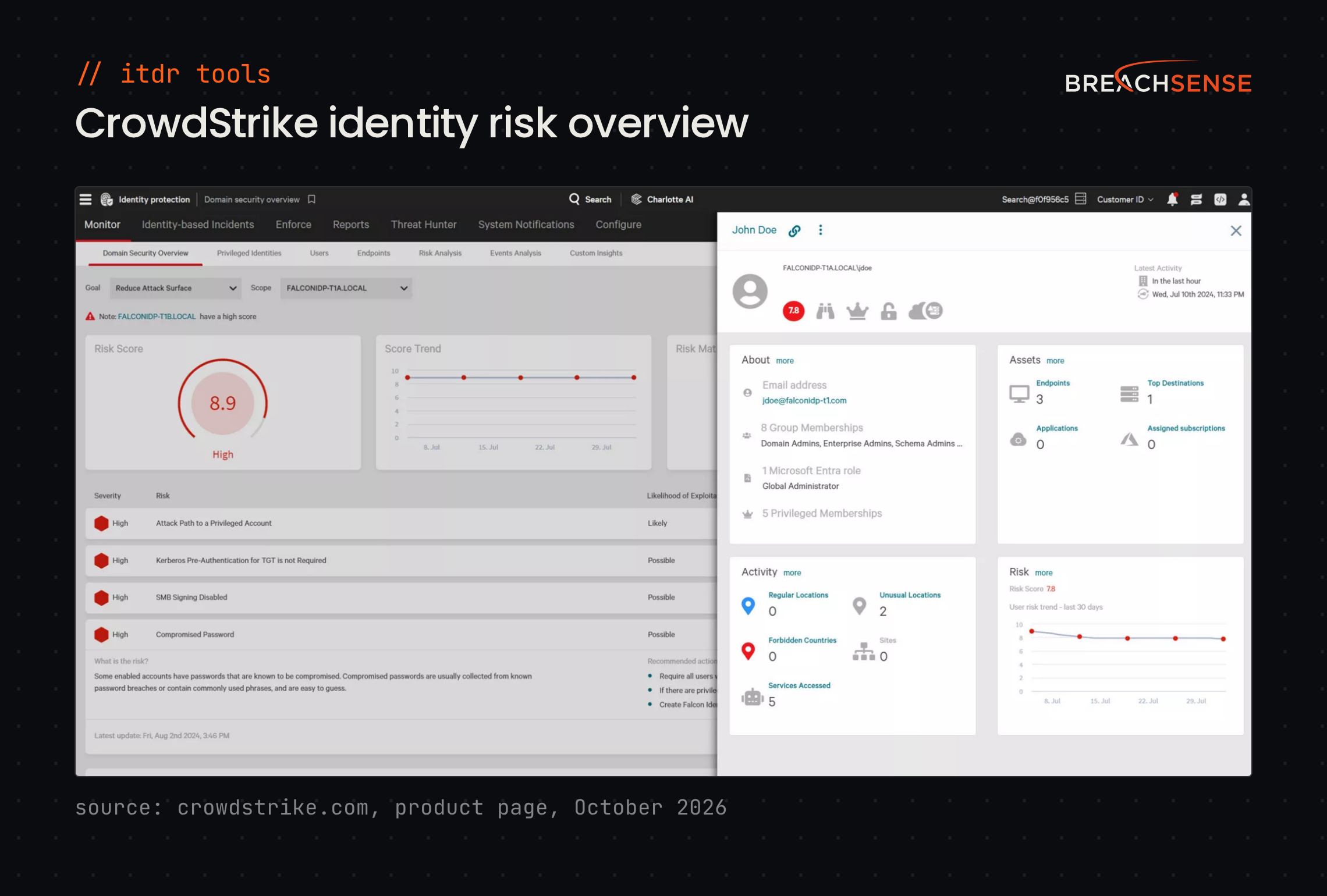
Key features
- Hybrid coverage. Protects on-premises Active Directory, Entra ID and Okta identities, plus service accounts.
- Real-time enforcement. Revokes sessions or requires phishing-resistant MFA when an account’s risk rises, without waiting for an analyst.
- Lateral movement blocking. Stops an attacker moving from one compromised account or machine to the next.
- Managed option. CrowdStrike also sells a 24/7 service where CrowdStrike analysts investigate identity alerts for you.
Pricing: Not published. CrowdStrike licenses Falcon Next-Gen Identity Security per active identity, meaning each account that signed in during the last 90 days, including service accounts. CrowdStrike offers a 15-day free trial that includes all Falcon Next-Gen Identity Security capabilities.
Rating: 4.6/5 on Gartner Peer Insights
Pros
- Teams already on Falcon have no new server or agent to install.
- Flags accounts with compromised passwords, and accounts that share a password.
- Shows what service accounts are doing in real time.
Cons
- Exporting specific data sets from the dashboard is clunky.
- Dashboards and response actions are hard to customize. You can’t run a response action on several identities at once.
- Alerts are noisy out of the box, until you tune the detection rules.
3. Silverfort
Silverfort is built for hybrid networks with legacy systems and service accounts that don’t support MFA. Silverfort enforces MFA and access policies inside the sign-in flow, so your apps need no changes.
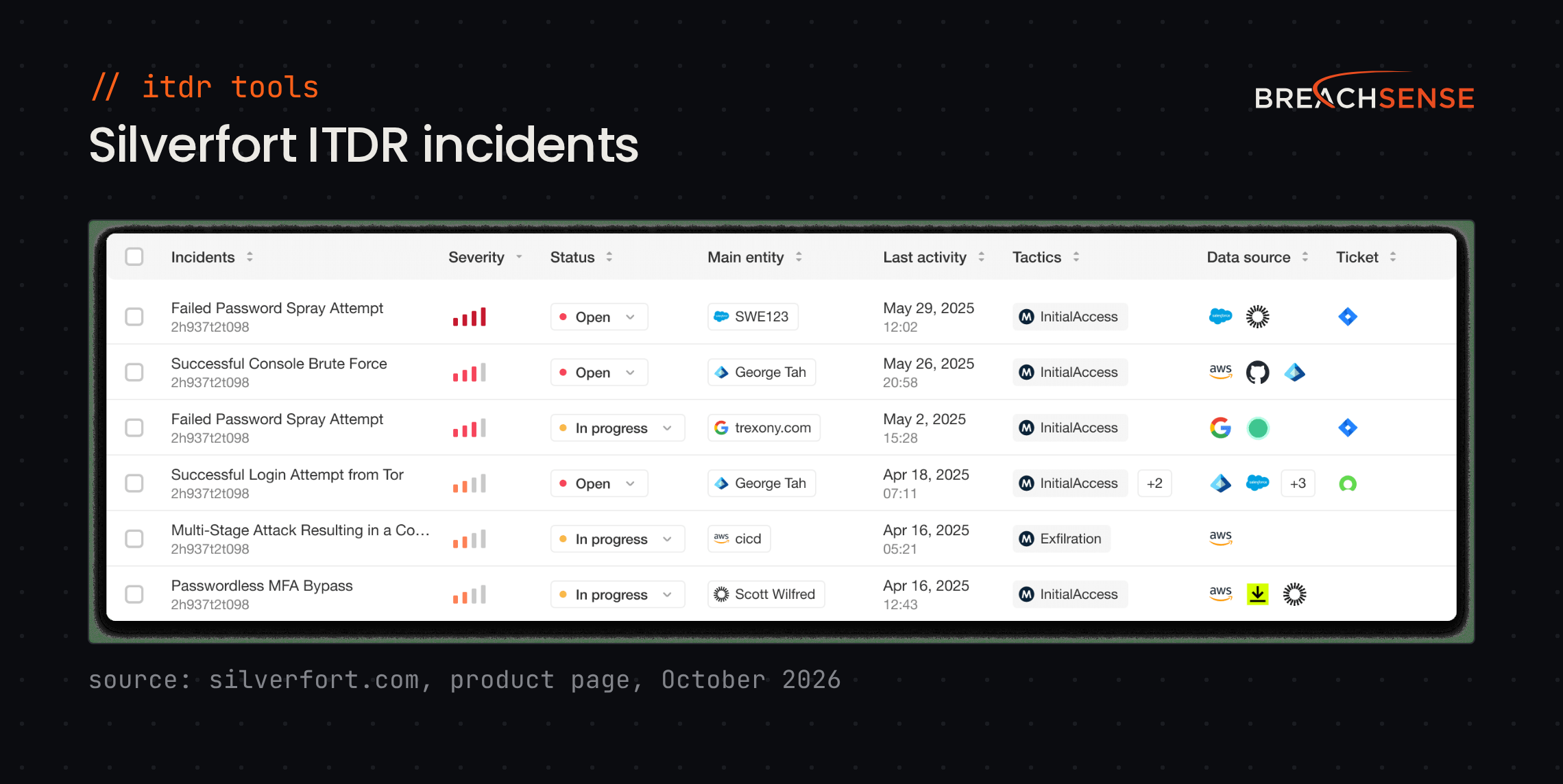
Key features
- Inline blocking. Blocks a sign-in or requires MFA before the sign-in completes. Silverfort can also end a session.
- Active Directory attack detection. Detects Pass-the-Hash, Pass-the-Ticket, Kerberoasting and DCSync, techniques attackers use to reuse or steal Active Directory credentials.
- Service account protection. Discovers, classifies and locks down Active Directory service accounts.
- Integrations. Sends detections to your SIEM or XDR tool. Silverfort can also send detections to a SOAR tool.
Pricing: Not published. Silverfort prices by organization size, and ITDR starts in its Advanced package. Silverfort offers a self-guided product tour but no free trial.
Rating: 4.8/5 on Gartner Peer Insights
Pros
- Adds MFA to legacy systems without major changes to your existing infrastructure.
- Behavior monitoring catches unusual account activity quickly.
Cons
- Setup gets complex when you connect legacy systems or several existing tools.
- Admins need time to tune authentication rules, or users get unneeded MFA prompts.
- New features arrive slowly.
4. SentinelOne Singularity Identity
SentinelOne’s endpoint customers add Singularity Identity to cover their identity systems. Singularity Identity runs on the same agent and protects Active Directory and cloud identity providers, including Entra ID, Okta, Ping, SecureAuth and Duo.
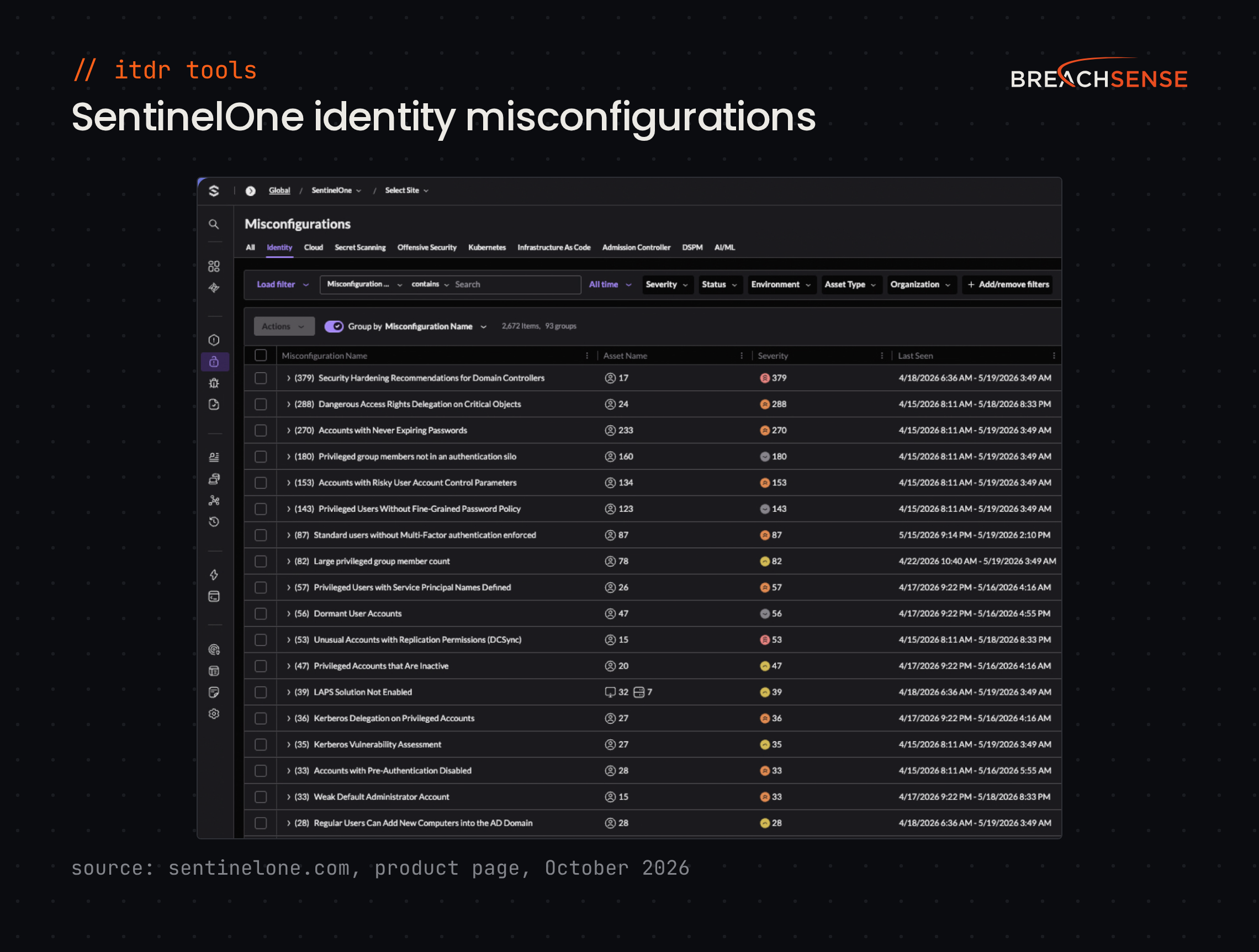
Key features
- Lateral movement blocking. Blocks lateral movement across endpoints and domains in real time.
- Decoy identities. Plants decoy accounts, so an attacker who tries a decoy while mapping your network sets off an alert.
- Conditional access. When SentinelOne detects an identity attack, it forces MFA again or blocks the session. It does this through your conditional access rules, the policies that decide whether a sign-in needs MFA.
- Leaked credential alerts. Flags stolen or compromised credentials exposed on the dark web.
Pricing: SentinelOne publishes one price that includes identity detection. Singularity Commercial costs $229.99 per endpoint a year for 5 to 100 workstations, bought through a SentinelOne partner. Enterprise pricing isn’t published. SentinelOne offers a demo and a product tour but no free trial.
Rating: 4.4/5 on Gartner Peer Insights
Pros
- Easy to deploy for teams already on SentinelOne.
- Shows the paths an attacker could take to pivot into an endpoint.
- Highlights identity misconfigurations, such as risky settings on privileged accounts.
Cons
- Behavioral detection can flag legitimate admin scripts as threats.
- The price is steep. Getting every capability takes several modules.
- Some response features are still on SentinelOne’s roadmap rather than in the product.
5. Huntress Managed ITDR
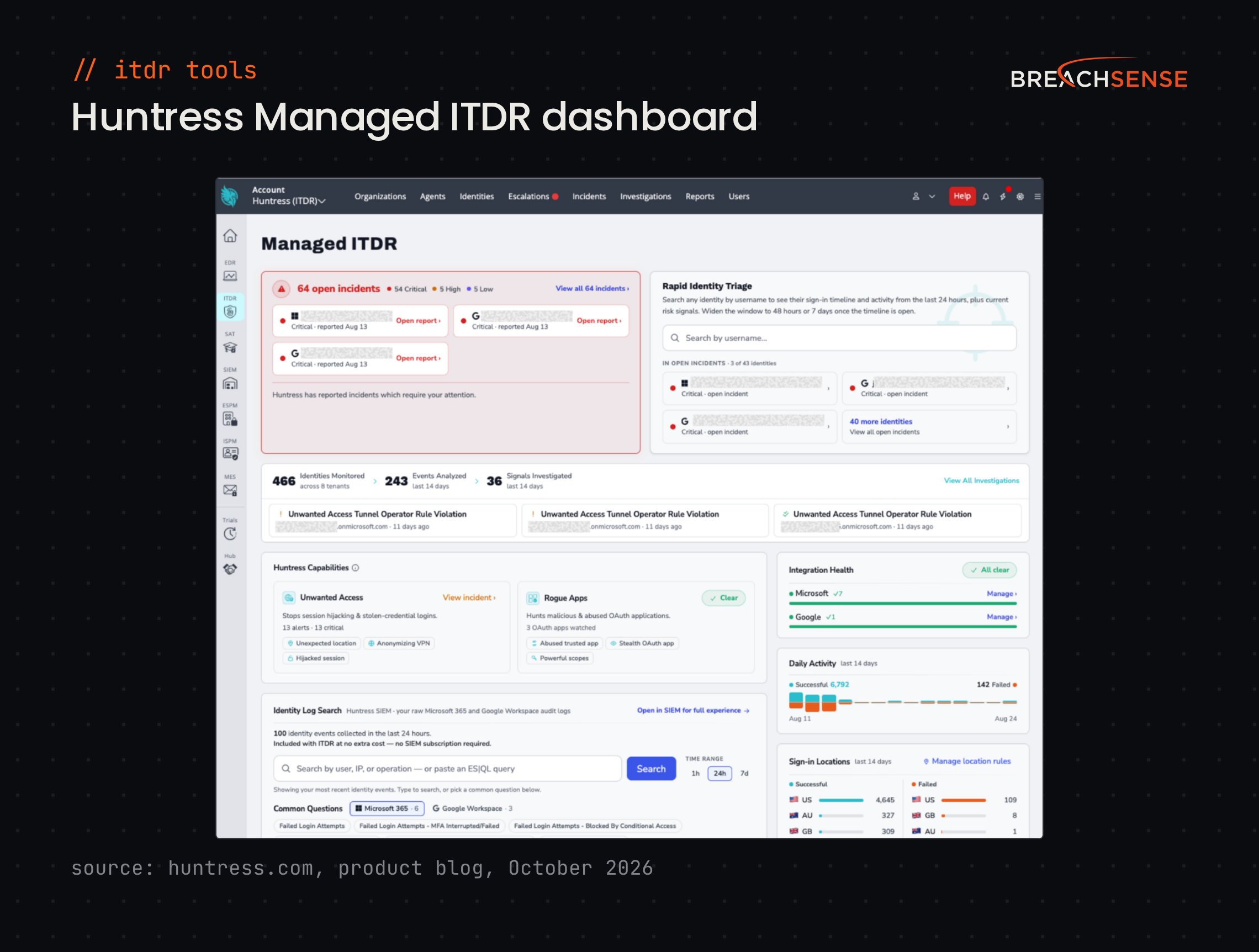
Huntress built Managed ITDR for small and mid-sized businesses without their own security team, and for the MSPs that serve them.
Huntress detection covers Microsoft 365 and Google Workspace accounts. In on-premises Active Directory, Huntress disables accounts that sync to Entra ID, through an agent on the domain controller.
Key features
- 24/7 managed response. Huntress analysts investigate alerts and disable compromised accounts.
- Session hijacking detection. Catches attackers who use a stolen session to bypass MFA.
- Rogue app and inbox rule detection. Finds rogue apps that users granted access to their Microsoft 365 or Google account, and malicious inbox forwarding rules.
- Account response. Lets you disable an account from the Huntress portal.
Pricing: Huntress publishes a list price of $4.80 per identity a month, on a 12-month term, billed monthly or annually. The rate drops with volume. Huntress’s pricing example shows $3.60 per identity for 100 identities. MSPs get partner pricing. Huntress offers a free trial with no credit card required.
Rating: 4.8/5 on G2
Pros
- Setup is simple. You approve access with a Microsoft 365 global admin account.
- Your team doesn’t triage the identity alerts, because Huntress analysts handle the alerts and disable compromised accounts.
- Huntress gives clear next steps after each incident.
Cons
- Huntress manages most detection rules, so you have little room to write your own.
- You can’t export the incident timeline, so you build incident reports by hand.
- Buying through a reseller carries a 50-seat minimum per product.
6. Semperis Directory Services Protector
Semperis Directory Services Protector (DSP) is for enterprises that run Entra ID alongside a complex Active Directory setup. Some run several forests (separate Active Directory instances).
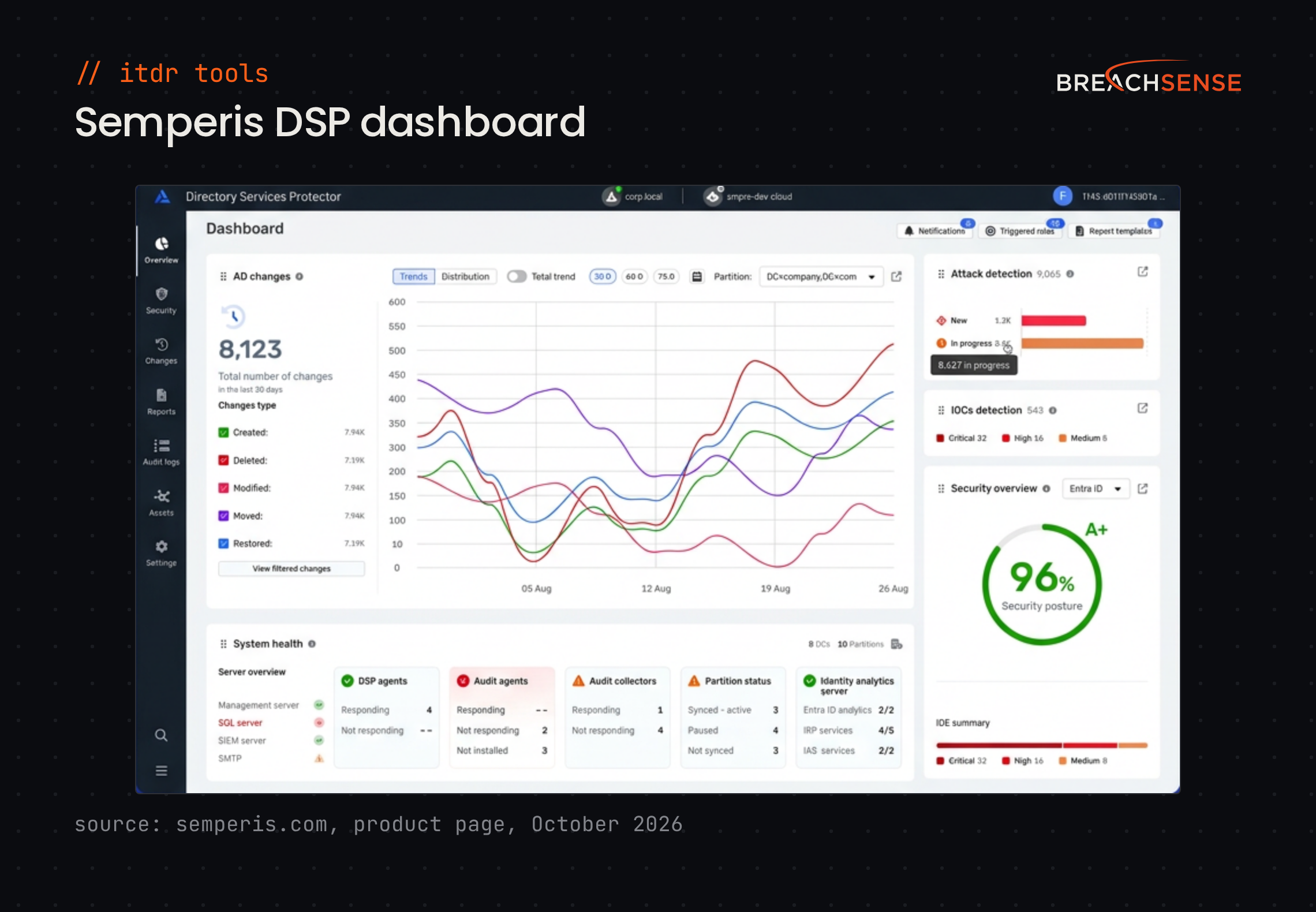
Semperis says DSP finds and rolls back unwanted changes to Active Directory objects and attributes in two minutes or less.
Key features
- Change tracking. Reads the changes domain controllers copy to each other (the replication stream). DSP catches changes that never reach Windows event logs, such as those from a fake domain controller (DCShadow).
- Integrations. Opens ServiceNow tickets automatically and sends events to Splunk and Microsoft Sentinel.
- Attack detection. Uses machine learning to detect password spraying, credential stuffing and other brute force attempts.
- Service account protection. Finds and locks down the service accounts attackers abuse.
Pricing: Not published, and Semperis doesn’t advertise a free trial. Semperis offers a free Active Directory assessment tool called Purple Knight.
Rating: 4.8/5 on G2
Pros
- Rolls back some unwanted Active Directory changes automatically.
- Recommends fixes for Active Directory misconfigurations, and Semperis adds checks regularly.
- Semperis support and customer success staff help with installation and answer questions quickly.
Cons
- Built-in reports feel clunky, and notification options are limited.
- DSP surfaces so many risks that deciding which to fix first can be hard.
- Help text for some indicators of exposure (the checks DSP runs) could be clearer.
7. Proofpoint Identity Threat Defense
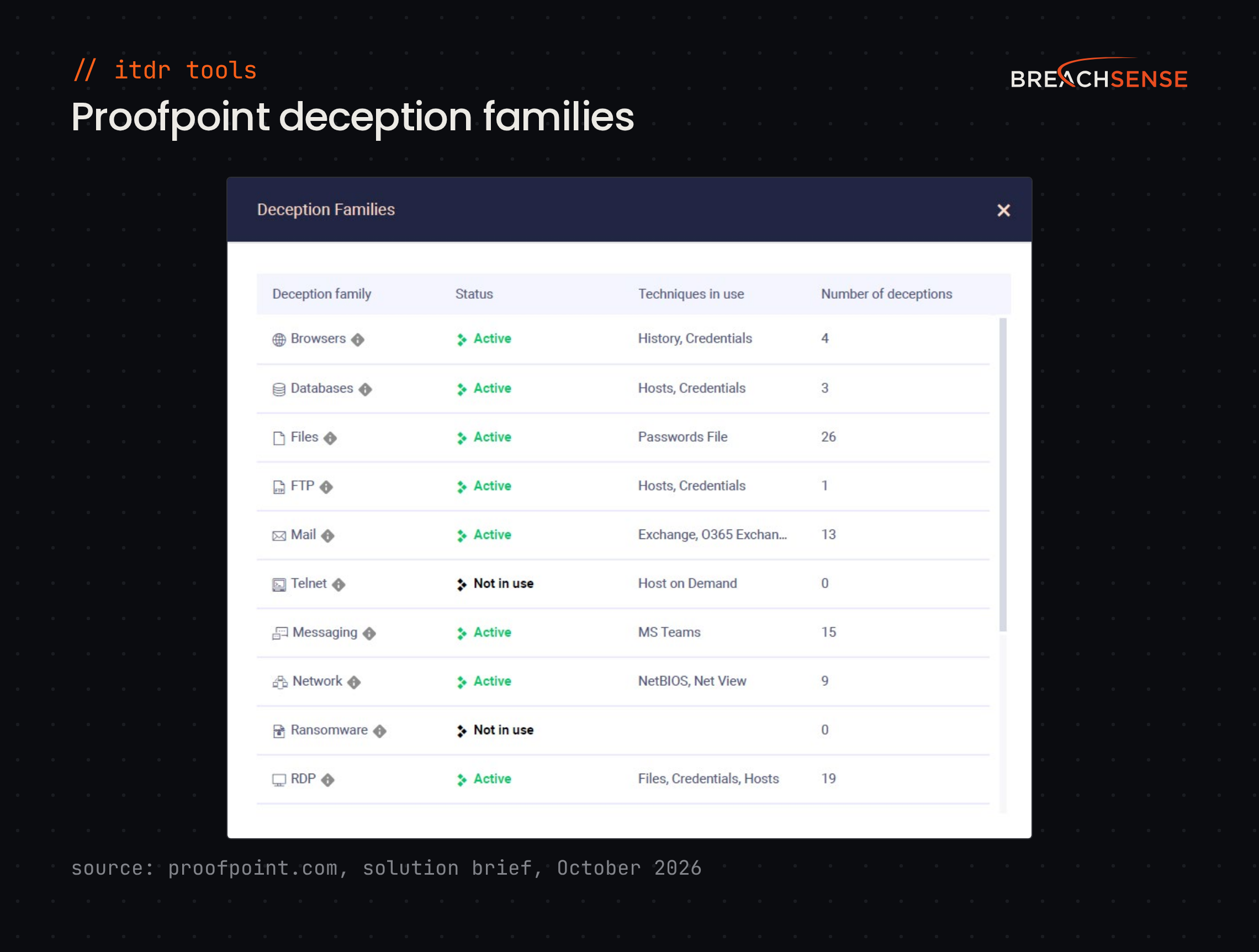
Large enterprises use Proofpoint Identity Threat Defense to remove credentials cached on endpoints, which an attacker could reuse after getting in. It plants decoys on endpoints, like fake files and fake saved browser passwords. You get an alert when an attacker uses a decoy. Proofpoint doesn’t offer a managed service, so your own team handles the response.
Proofpoint says you can deploy more than 75 decoy types with no agents, sensors or changes to your systems.
Key features
- Cached credential cleanup. Removes cached credentials and fixes misconfigurations on endpoints and servers.
- Shadow admin discovery. Finds privileged accounts that your privileged access management (PAM) tool doesn’t manage.
- Decoys. Treats any use of a decoy as a sign of compromise, because no real user has a reason to use a decoy.
- Attack path mapping. Maps the routes an attacker could take from any endpoint to your most valuable systems.
Pricing: Not published. Proofpoint offers a demo.
Rating: 4.5/5 on Gartner Peer Insights
Pros
- Finds old cached credentials to delete, and risky permissions on unused or compromised accounts to revoke.
- Detects stolen credentials used to move through the network, with few false positives.
- Integrates with Microsoft Entra ID and Azure, and with SIEMs such as Splunk and IBM QRadar.
Cons
- The first scan can find more cached credentials than your team can clean up at once.
- Offers few automated actions that run when a trigger fires.
8. Sophos ITDR
Sophos ITDR suits teams already on Sophos XDR or Sophos MDR, because Sophos sells ITDR as an add-on to both. Sophos ITDR covers Entra ID and on-premises Active Directory.
Sophos ITDR also checks dark web markets, Telegram channels and stealer logs for your employees’ leaked credentials.
Key features
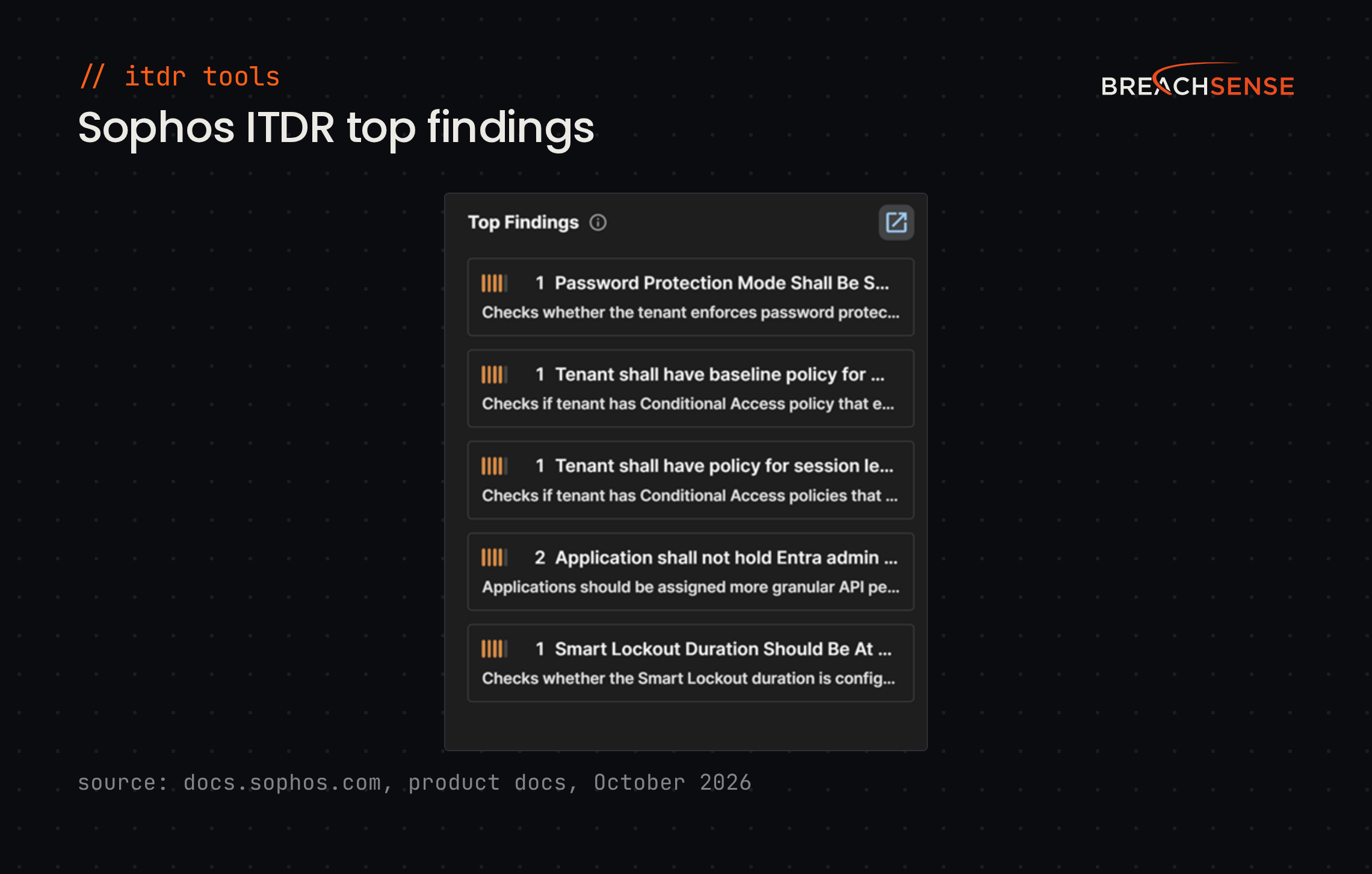
- Posture checks. Checks Entra ID and Active Directory continuously for misconfigurations, for example in conditional access policies.
- Leaked credential alerts. Raises a finding when a leaked password is newer than the user’s last password change.
- Response actions. Forces password resets and locks accounts. With Sophos MDR, Sophos analysts also revoke active sessions.
Pricing: Not published. Sophos offers a 30-day free trial.
Rating: 4.3/5 on Gartner Peer Insights
9. Okta Identity Threat Protection
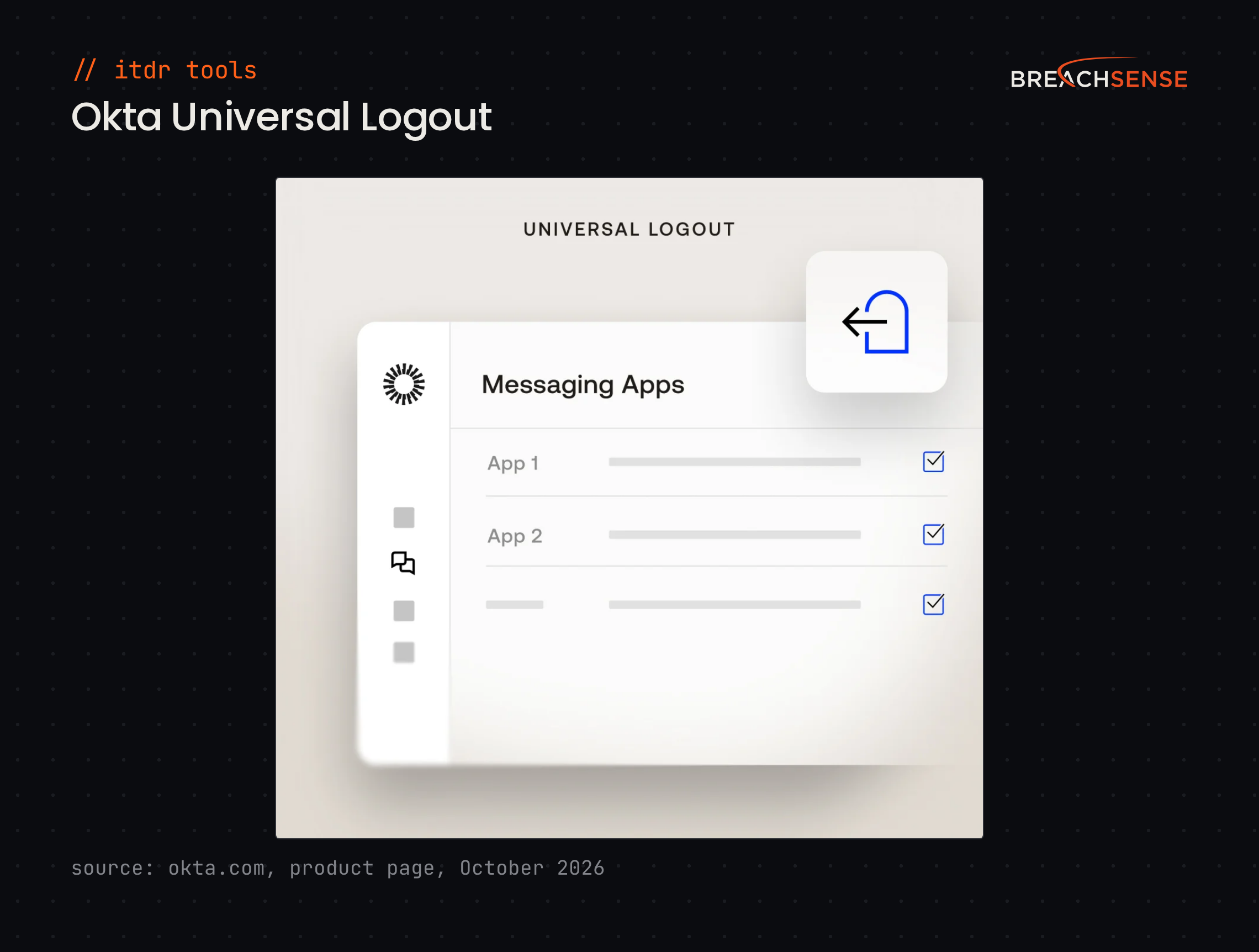
Okta Identity Threat Protection suits companies that sign employees in through Okta Workforce Identity. It keeps checking an account’s risk after sign-in, for the whole session.
When the risk rises, Okta can sign the user out of every supported app at once with Universal Logout. Supported apps include Google Workspace, Salesforce, Zoom and Box.
Key features
- Session risk detection. Detects signs of session hijacking, such as sign-ins from two countries minutes apart, or a device that stops meeting your security policy mid-session.
- Automated response. Requires phishing-resistant MFA or ends the session when risk rises.
- Token revocation. For Microsoft 365, Universal Logout revokes refresh tokens, which let an app get new access tokens without a sign-in. Open Microsoft 365 sessions end when their short-lived access tokens expire.
- Shared signals. Exchanges security events with tools like CrowdStrike, Zscaler, Palo Alto Networks and Jamf.
Pricing: Not published. Okta lists Identity Threat Protection in its Professional suite, which is priced on request. Okta also sells Identity Threat Protection as an add-on to lower suites. Okta bills its suites annually, with a $1,500 annual minimum.
Rating: Not enough reviews. Okta’s reviews cover its sign-in products, not Identity Threat Protection.
10. Bitdefender GravityZone ITDR
For GravityZone endpoint customers, Bitdefender GravityZone ITDR puts identity alerts in the same XDR console as endpoint alerts. Bitdefender sells the identity sensor as an add-on to GravityZone Business Security Enterprise and includes it in GravityZone Defense XDR.
GravityZone ITDR reads Kerberos, NTLM and LDAP events from domain controllers. Windows uses those protocols for sign-ins and directory lookups. GravityZone ITDR also reads signals from Entra ID and Intune (Microsoft’s device management). GravityZone ITDR ties all these events and signals to endpoint incidents.
Key features
- Real-time blocking. Detects and blocks identity threats during lateral movement, using endpoint and identity data together.
- Entra ID response. Marks a user as compromised in Entra ID. Your Entra ID risk policies can then block or challenge that user’s sign-ins.
- Attack chain view. Builds the full attack chain and summarizes each incident in plain language.
- Identity visibility. Shows anomalies across local, Active Directory and Entra ID users, plus service accounts.
Pricing: Not published. Bitdefender offers a free trial of GravityZone XDR.
Rating: Not enough reviews. G2 reviews cover the whole GravityZone platform, not GravityZone ITDR.
Selection criteria
How we evaluated these tools
We compared each tool on six points, using each vendor’s own site for features and pricing:
- Identity coverage. Which of Active Directory, Entra ID, Okta and service accounts the tool protects.
- Detection depth. Whether the tool catches Active Directory attacks like Pass-the-Hash and Golden Ticket, or only risky cloud sign-ins.
- Blocking or alerts only. Whether the tool stops a risky sign-in as it happens, or only sends an alert.
- Integrations. Whether detections reach your SIEM, SOAR or ticketing tools.
- A managed option. Whether the vendor’s own analysts can watch alerts and respond for you.
- Published pricing. Whether the vendor’s site lists a price.
Ratings, pros and cons come from the review site named in each entry, checked in October 2026.
How to choose a tool
| Your situation | Shortlist |
|---|---|
| Mostly Microsoft (Active Directory and Entra ID) | Microsoft Defender for Identity |
| Already on an endpoint platform | Your endpoint vendor’s identity product (CrowdStrike, SentinelOne, Sophos or Bitdefender) |
| Cloud-first on Okta | Okta Identity Threat Protection |
| Hybrid, with legacy systems that don’t support MFA | Silverfort |
| Active Directory changes you need to track and roll back | Semperis Directory Services Protector |
| You want to remove cached credentials from endpoints and add decoys | Proofpoint Identity Threat Defense |
| No in-house security team watching alerts | Huntress Managed ITDR |
Before your demos, check whether your employees’ credentials are already compromised. In each demo, ask whether the tool blocks a sign-in with a leaked password or only raises an alert.
Start with your identity setup, then watch for leaked credentials
Pair your ITDR tool with dark web monitoring, so you can reset a leaked password before an attacker uses it. Run a free dark web scan to see which of your company’s credentials have already leaked. Then book a demo to see alerts for your domain or a client’s, including session cookies from stealer logs.